n8n vs. Power Automate: A Practical Comparison
In the evolving landscape of professional services, the drive for efficiency and accuracy is constant. This article offers an unbiased, practitioner’s comparison of two prominent workflow automation tools, n8n and Power Automate, examining their real-world application, implementation differences, and suitability for various organizational needs. Whether you’re an automation-curious consultant, a tech-leaning accountant, or part of a global compliance team, understanding these platforms is crucial for optimizing operations and enhancing strategic output.
The demand for robust workflow automation tools has surged, making solutions like n8n and Power Automate not just useful, but trending necessities for businesses aiming to streamline complex processes. From managing financial close tasks to orchestrating data flows across disparate systems, these tools empower organizations to move beyond manual effort, reduce errors, and ensure timely, compliant operations. This focus on practical implementation, data integration, and seamless workflow automation is why understanding their nuances is more critical than ever.

Key Differentiators: Self-Hosted vs. Cloud-Native
The foundational architecture of n8n and Power Automate represents their most significant divergence, dictating everything from data residency to deployment models.
n8n: The Flexible, Self-Hosted Orchestrator
n8n is an open-source workflow automation tool that offers remarkable flexibility. Its core strength lies in its ability to be self-hosted, either on your own servers, a private cloud, or a virtual private server. This characteristic is particularly appealing to organizations with stringent data privacy policies, specific security requirements, or those operating in highly regulated industries like finance and healthcare, where data sovereignty is paramount.
Pros of Self-Hosting:
Data Control: Full control over where your data resides and how it’s processed.
Customization: Deep customization possibilities for unique use cases.
Cost Efficiency: The open-source core means no recurring software licensing fees for the base product, though hosting and maintenance costs apply.
Scalability: Scale resources according to your specific workload demands, rather than being limited by a provider’s tiers.
Considerations:
Requires technical expertise for setup, maintenance, and security.
Responsibilities for infrastructure, updates, and backups fall to the user.
Power Automate: The Integrated Cloud Solution
Conversely, Power Automate, a key component of the Microsoft Power Platform, is a cloud-native service. It operates entirely within Microsoft’s extensive Azure infrastructure, offering seamless integration with the broader Microsoft 365 ecosystem, Dynamics 365, and Azure services. This makes it an incredibly powerful choice for organizations already invested in the Microsoft stack.
Pros of Cloud-Native:
Ease of Deployment: No infrastructure setup required; flows can be built and deployed quickly.
Managed Service: Microsoft handles infrastructure, security, and updates.
Ecosystem Synergy: Deep, native integration with hundreds of Microsoft products and services.
Accessibility: Designed with “citizen developers” in mind, allowing non-technical users to build sophisticated workflows.
Considerations:
Data processing occurs within Microsoft’s cloud, which might raise concerns for specific data residency requirements.
Subscription-based pricing can accumulate, especially with premium connectors or high usage.
Connectors and Integration Capabilities
The utility of any automation tool hinges on its ability to connect to other applications and services. Both n8n and Power Automate excel here, though with different approaches.
n8n’s Versatile Connections
n8n boasts a vast library of pre-built integrations, known as “nodes,” covering a wide array of popular web services, databases, and custom applications. Its open-source nature means the community frequently contributes new nodes, and developers can easily create custom ones. For scenarios requiring connections to niche accounting software, legacy systems, or proprietary internal tools, n8n’s powerful HTTP request node and flexible API handling make it an integration powerhouse. This allows for highly tailored workflow automation even for complex data transformation tasks.
Power Automate’s Ecosystem Advantage
Power Automate leverages Microsoft’s vast network of connectors, which number in the hundreds. These include direct integrations with Salesforce, SAP, Oracle, various HR platforms, and of course, deep links into all Microsoft products. For global compliance teams relying heavily on SharePoint, Microsoft Teams, or Dynamics 365, Power Automate offers unparalleled native integration, simplifying data exchange and process orchestration across the Microsoft cloud. Its Dataverse integration also provides a robust data backbone for Power Apps and Power BI.
Workflow Design and User Experience
Both platforms offer visual builders, but their philosophy and target users differ.
n8n’s Node-Based Canvas
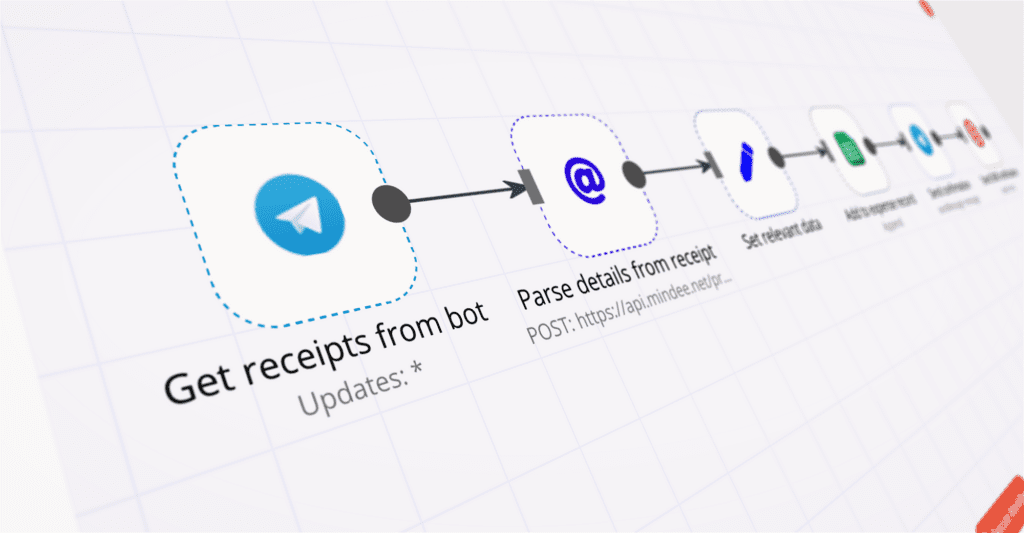
n8n provides a highly visual, node-based editor where workflows are constructed by chaining together individual nodes, each representing an action or data transformation step. This approach offers granular control and makes complex logic visually manageable. It empowers users, to design intricate data flows and conditional logic with precision. The learning curve can be steeper for complete beginners but offers immense power once mastered.
Power Automate’s Guided Flow Designer
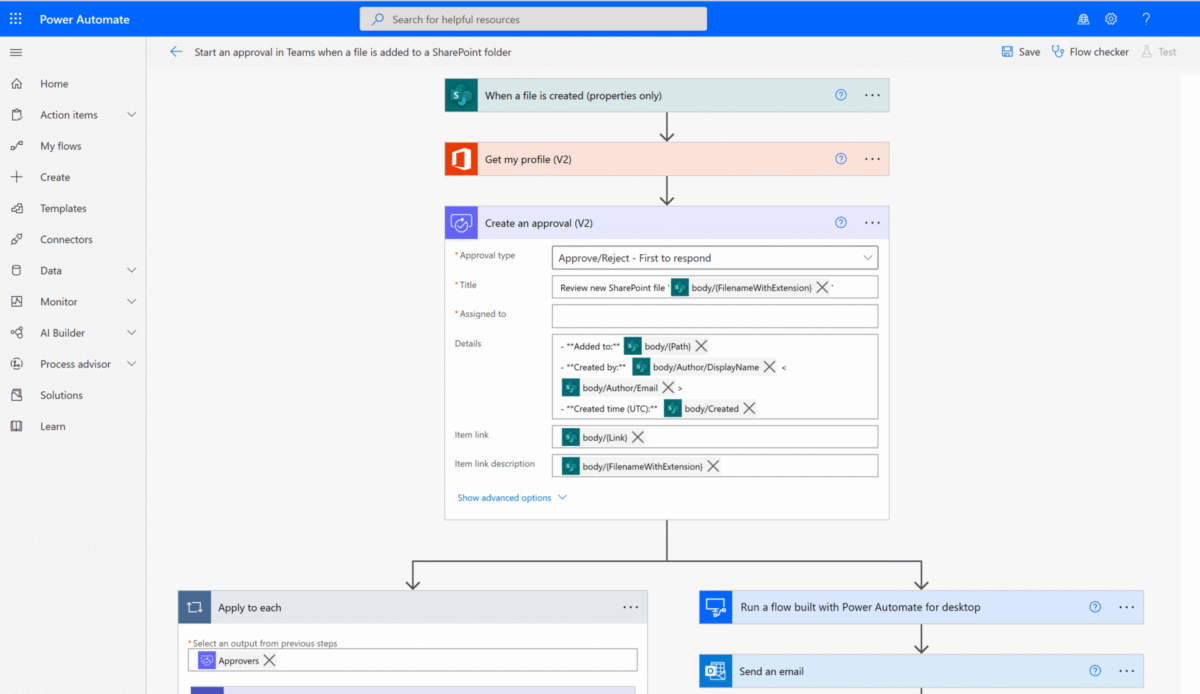
Power Automate features a more guided, template-driven experience. Users select triggers and actions from a clear list, building flows in a sequential manner. This makes it highly accessible for business users and “citizen developers” who might not have extensive coding backgrounds. It’s excellent for rapid prototyping and deploying common automation patterns like email notifications, file management, and approval processes. For more complex scenarios, expressions and custom connectors can extend its capabilities, but it generally maintains a more user-friendly facade.
Practical Use Cases & Scenarios
When to Choose n8n
Data Sovereignty is Critical: If your organization cannot process data outside your own infrastructure due to regulatory requirements or internal policies.
Complex Custom Integrations: When you frequently need to connect to niche software, custom databases, or perform intricate API manipulations. For example, syncing data between an on-premise ERP and a cloud-based analytics platform, or orchestrating data transformations before pushing to a data warehouse.
Budget Flexibility: If you have the internal IT resources and prefer to manage infrastructure to minimize ongoing software subscription costs.
Open-Source Preference: For those who value the transparency, community support, and extensibility of open-source solutions.
When to Choose Power Automate
Deep Microsoft Ecosystem Integration: If your organization heavily relies on Microsoft 365 (SharePoint, Teams, Outlook), Dynamics 365, or Azure services. Automating invoice approvals in Teams or synchronizing client data from Outlook to Dynamics are prime examples.
Citizen Developer Empowerment: When you want to enable non-technical business users to build and manage their own workflow automation solutions without heavy IT involvement.
Rapid Deployment and Scalability: For quick rollouts of standard automations with minimal infrastructure overhead, leveraging Microsoft’s scalable cloud.
Enterprise-Grade Security & Compliance Out-of-the-Box: For organizations that prioritize a fully managed, compliant, and secure platform provided by a major vendor.
The Verdict: n8n vs. Power Autoamte – It’s Not Always Either/Or
Ultimately, the choice between n8n and Power Automate isn’t about one being inherently “better” than the other. It’s about aligning the tool with your organization’s specific needs, existing technology stack, budget, and internal technical capabilities. Both are powerful automation tools capable of transforming operations.
For some, a hybrid approach might even be ideal: using Power Automate for everyday, citizen-developer-driven tasks within the Microsoft ecosystem, while leveraging n8n for highly sensitive, custom, or complex backend integration scenarios that demand absolute control over data and infrastructure.
The key lies in a thorough self-assessment:
What are your data residency requirements? How deep is your technical bench? What’s your existing software ecosystem? How much flexibility do you need versus how much managed convenience do you prefer?
By answering these questions from a practitioner’s perspective, you can make an informed decision that drives tangible value.
Give a shot to the cloud version of n8n with their free trial.
If you are already using Microsoft 365, you likely have a Power Automate license to get started with.